
Download Potatoshare Android Data Recovery – Free, Secure & Fast File Recovery Tool for Windows, Mac, Android & iOS
Losing important photos, documents, or contacts on your Android device can be a stressful experience. Potatoshare Android Data Recovery is a powerful, user-friendly software designed to help you retrieve lost, deleted, or corrupted files from Android smartphones and tablets. Whether your device has crashed, you accidentally deleted critical data, or your phone is showing system errors, this tool offers a reliable solution.
With support for all Android versions and no root requirement, it stands out among data recovery tools. The software provides a secure, efficient recovery process with file previews, real-time system diagnostics, and compatibility across multiple platforms including Windows, Mac, Android, and iOS. Whether you're a casual user or a professional managing sensitive data, Potatoshare Android Data Recovery is a must-have tool for safeguarding your digital life.
Key Features of Potatoshare Android Data Recovery
Potatoshare Android Data Recovery offers a comprehensive suite of features tailored to meet the needs of users across different technical skill levels. One of its most impressive capabilities is its ability to recover a wide variety of file types, including high-resolution images, videos, audio files, documents (PDF, DOC, XLS), contacts, messages, call logs, and even entire folders. This makes it ideal for both personal and professional use. Whether you've accidentally wiped your gallery or lost important business documents, the software scans deep into your device’s storage to locate and restore what matters most.
Another standout feature is its universal compatibility. Unlike many third-party recovery tools that only support specific Android versions or devices, Potatoshare works seamlessly with all Android OS versions—from older Android 4.0 to the latest Android 14. This ensures that no matter what device you’re using, you won’t need to search for a different tool. The intuitive interface presents all options clearly, with one-touch access to recovery modes, minimizing the learning curve for beginners.
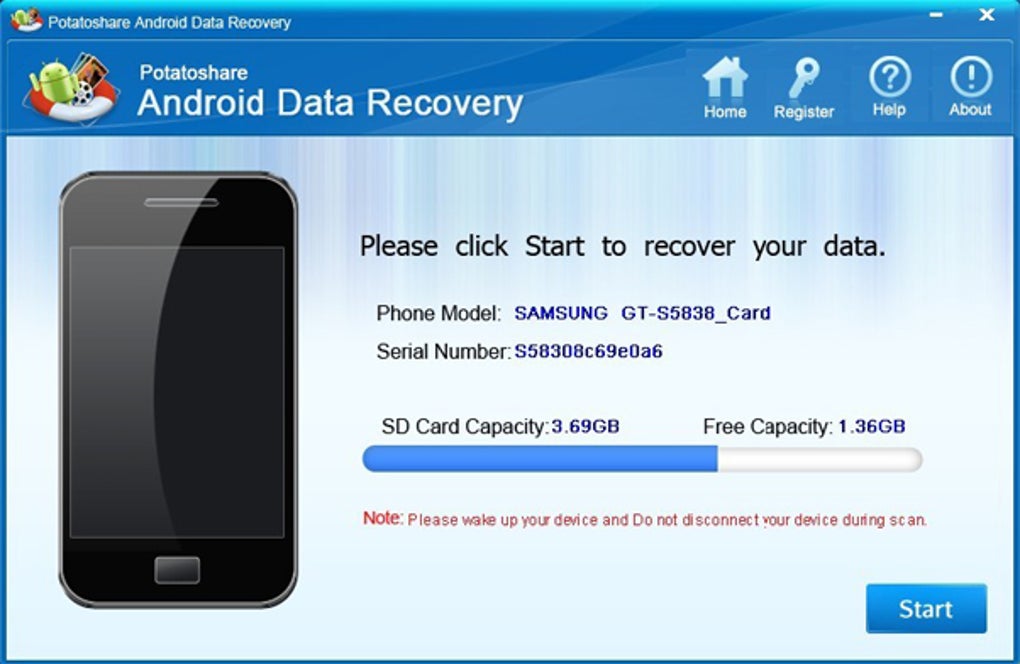
The software also includes a preview function, allowing users to view files before recovery. This helps avoid wasting time and storage space on unwanted files. Additionally, it provides real-time system insights such as available storage, occupied space, and device manufacturer details—useful for diagnosing performance issues. Most notably, Potatoshare does not require root access to operate, meaning you can recover data without risking system instability or voiding your warranty. This non-invasive approach, combined with secure scanning protocols, makes it one of the safest and most trustworthy recovery tools on the market.
How to Install and Use Potatoshare Android Data Recovery
Installing and using Potatoshare Android Data Recovery is straightforward, even for users with minimal technical experience. Begin by downloading the software from the official website. The download is free and secure, with no bundled malware or adware. After downloading, run the installer and follow the on-screen prompts to complete the setup. The software is compatible with both Windows 7/8/10/11 and Mac OS X 10.12 or later, making it accessible to most users.
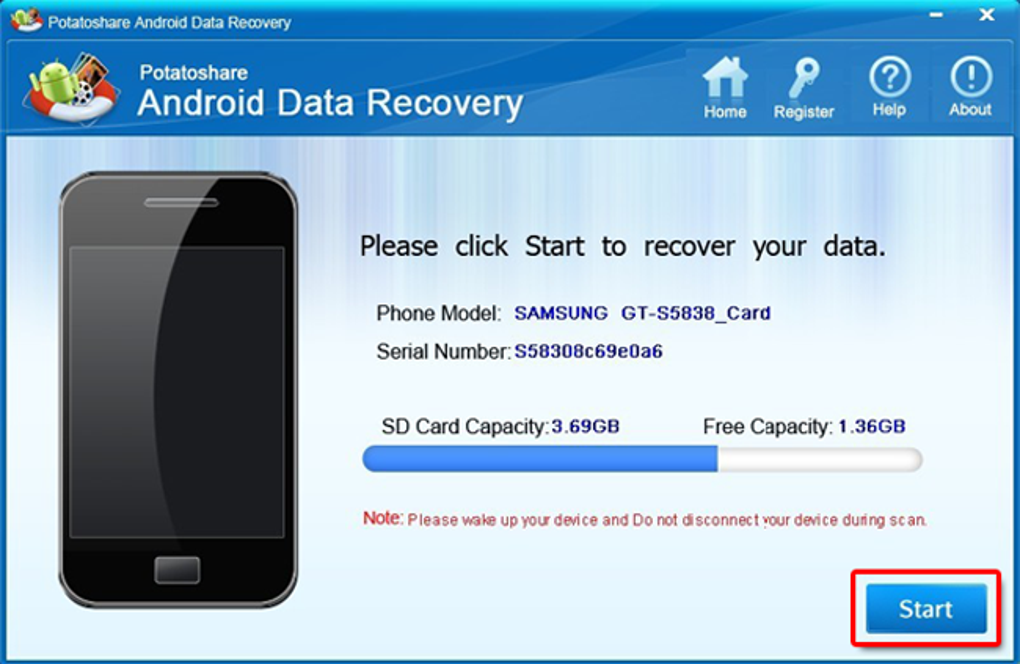
Once installed, launch the application and connect your Android device to the computer via a USB cable. Ensure USB Debugging is enabled on your phone—this is a standard requirement for data access. The software will automatically detect your device and display its model, OS version, and storage details. From here, choose your recovery mode: Scan Deleted Files, Scan All Files, or Recover Lost Data from System Crash. Each mode is optimized for different scenarios.
Start the scan process. The software will analyze your device’s internal storage and SD card (if applicable) in minutes. During scanning, you can preview files before recovery.
Once the scan is complete, select the files you want to restore and click “Recover.” Choose a safe location on your computer to save the recovered data. The entire process is secure, fast, and leaves no trace on your device. For best results, avoid using your Android device during recovery to prevent overwriting deleted data.
Compatibility and System Requirements
Potatoshare Android Data Recovery is designed for maximum accessibility, supporting a wide range of operating systems and Android devices. It is fully compatible with Windows 7, 8, 10, and 11 (32-bit and 64-bit), as well as Mac OS X 10.12 and newer. This ensures that users across different platforms can utilize the tool without compatibility issues. Whether you're on a budget laptop or a high-end desktop, the software runs smoothly with minimal system resource usage.
On the Android side, the tool supports all versions—from Android 4.0 (Ice Cream Sandwich) up to Android 14. This includes popular devices from Samsung, Huawei, Xiaomi, Oppo, Vivo, LG, and more. The software doesn’t require root access, which is a major advantage for users who want to avoid modifying their device’s system or risking warranty voidance. This makes it ideal for both casual users and IT professionals managing corporate devices.
For optimal performance, your computer should have at least 2GB of RAM and 500MB of free disk space. A stable USB connection is also essential. The software uses minimal CPU and memory during scanning, so even older machines can run it efficiently. Additionally, the tool supports both internal storage and external SD cards, giving you full control over recovery from all accessible storage locations. With no licensing restrictions for personal use, Potatoshare remains a top choice for anyone seeking a reliable, cross-platform data recovery solution.
Pros and Cons of Potatoshare Android Data Recovery
- Pros:
- Recovers a wide range of file types including photos, videos, documents, contacts, and messages.
- Supports all Android versions without requiring root access.
- Intuitive, one-touch interface suitable for beginners.
- File preview before recovery helps avoid unnecessary data restoration.
- Compatible with Windows and Mac systems.
- Non-invasive scanning—no risk to device warranty.
- Fast and secure recovery process with minimal system impact.
- Cons:
- Advanced recovery features require a paid license (free version has limited functionality).
- USB Debugging must be enabled for full access (not available on some locked devices).
- Recovery success depends on whether deleted data has been overwritten.
- Does not support iOS devices directly (only Android).
- Free version lacks batch recovery and advanced filters.
Frequently Asked Questions (FAQ)
Can Potatoshare recover data from a broken or non-booting Android device?
Yes, Potatoshare Android Data Recovery can recover data from non-booting or damaged devices, provided the storage is still accessible. The software works at the file system level and can scan internal memory and SD cards even when the device won’t start. However, for best results, ensure USB Debugging is enabled and the device is properly connected via USB.
Is it safe to use Potatoshare Android Data Recovery?
Absolutely. The software operates in read-only mode, meaning it does not modify or write to your device’s storage. It scans data safely and only transfers recovered files to your computer. This ensures your original data remains intact and your device stays secure.
Do I need to root my Android device to use this software?
No, root access is not required. Potatoshare can recover data from unrooted devices using standard USB connections and USB Debugging. This makes it a safer option for users who want to avoid modifying their device’s system.
What types of files can be recovered?
The software supports recovery of photos, videos, audio files, documents (PDF, DOC, XLS), contacts, SMS messages, call logs, and entire folders. It works with common file formats across all major Android devices.
Can I recover data after a factory reset?
Yes, Potatoshare can recover data after a factory reset, but only if the files haven’t been overwritten by new data. The sooner you act after a reset, the higher the chance of successful recovery.
Final Verdict: Why You Should Download Potatoshare Android Data Recovery Today
If you’ve ever lost important files on your Android device, Potatoshare Android Data Recovery is the tool you need. With its broad compatibility, secure scanning, and user-friendly interface, it stands out as one of the most reliable data recovery solutions available. Whether you’re recovering photos from a crashed phone or retrieving business documents after a system failure, this software delivers fast, accurate results without compromising your device’s integrity.
While the free version offers basic recovery, upgrading to the full version unlocks advanced features like batch recovery, deeper scans, and enhanced filters. For users who prioritize data security and ease of use, Potatoshare is an excellent investment. It’s a must-have for anyone who values their digital memories and sensitive information.
Download Potatoshare Android Data Recovery today and take control of your data—before it’s too late!







